
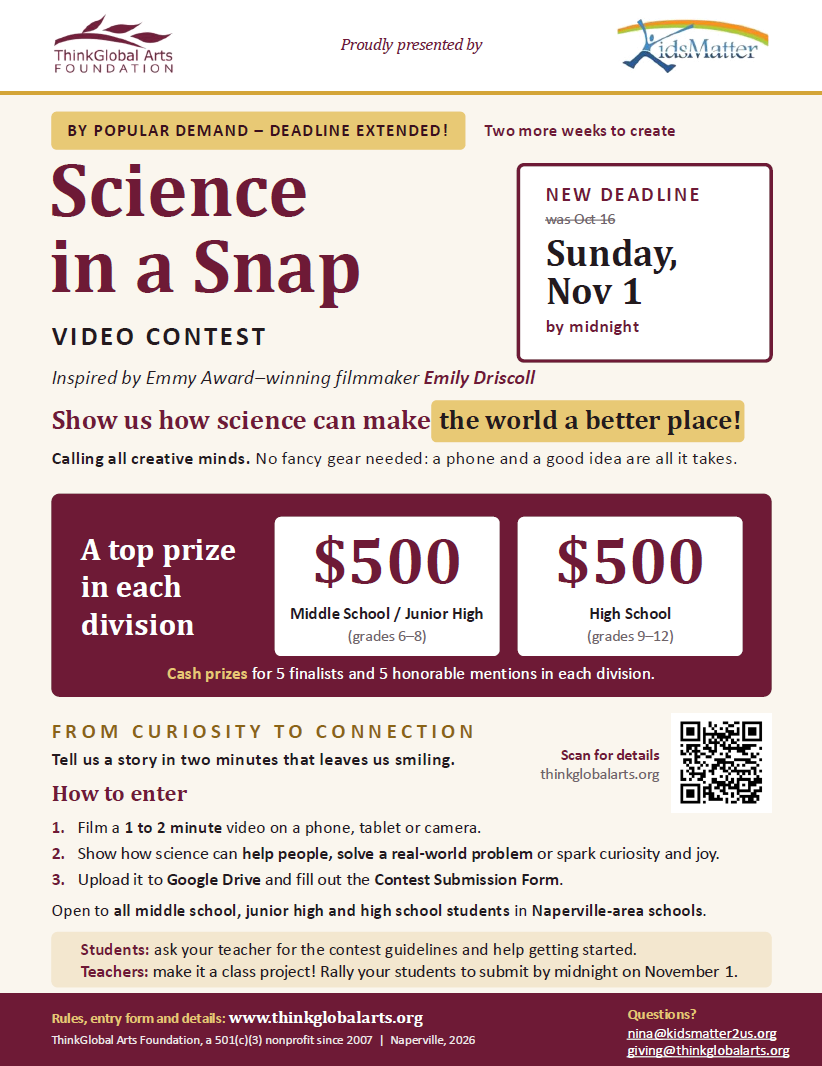
Video Contest Submission Guidelines for Students
‘Science in a Snap’
From Curiosity to Connection: The Power of Science Storytelling
Video Topic: How can science make the world a better place?
Size of Video: 1-2 minutes, any video larger than 2 minutes will be discarded.
Format of Video: MP4 or MOV
Participation Type: Solo or up to 3 team members
How to Submit Your Video:
- Upload your video to Google Drive and name the video.
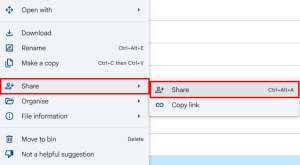
- Right click the video (or click the three dots if using the app) and click “Share”
3. Make sure that under “General Access” the “Restricted” selection is changed to “Anyone with the link”
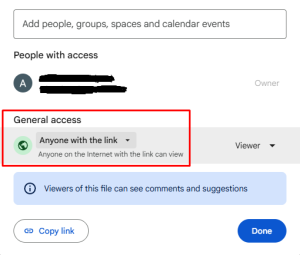
- Click “Copy link” and paste it in the official contest submission form
Frequently Asked Questions (FAQ)
Here are common student and teacher questions regarding rules, logistics, and tech constraints.
Who can participate?
This contest is open to all public, parochial, and home-schooled students in Naperville, Illinois. Students must be in junior high school (grades 6-8) or high school (grades 9-12) to participate.
Can I work in a team?
Yes! You can work solo or in groups of up to three (3) students.
Prizes will be split equally among team members.
Can junior high and high school students team up?
Teams must consist of students from the same age bracket. High school entries and junior high entries will be judged in separate divisions to keep things fair.
📱Do I need a professional camera?
Not at all! Smartphone cameras are perfectly fine.
Judges value creativity, clear sound, and solid research over expensive equipment.
Should my video be vertical or horizontal?
We accept both! You can make a traditional widescreen video (16:9) or a vertical cinematic short (9:16) suitable for social media.
How long should the video be?
Videos must be between 60 seconds and 2 minutes long. Anything shorter or longer will face a point deduction.
🎵 Can I use my favorite popular song in the background?
No. To comply with copyright laws, you must use royalty-free music. You can find free tracks on platforms like Pixabay, YouTube Audio Library, or Free Music Archive.
How can I edit my video?
There are free video editing tools that can be used to make your video. We suggest tools like CapCut, Canva, iMovie, Adobe Express, and DaVinci Resolve.
Can I use clips from movies or YouTube videos?
Your video must feature at least 80% original footage filmed by you or your team. Any stock footage used must be royalty-free and properly credited at the end of your video.
📩 How do I turn in my video?
Upload your final video file (MP4 or MOV format) to the official submission portal.